
Torque and Drag Insights You Can Trust

By pairing predictive analysis with live data feeds, you get the benefit of advanced planning and the ability to avoid potential issues with on-the-fly adjustments.
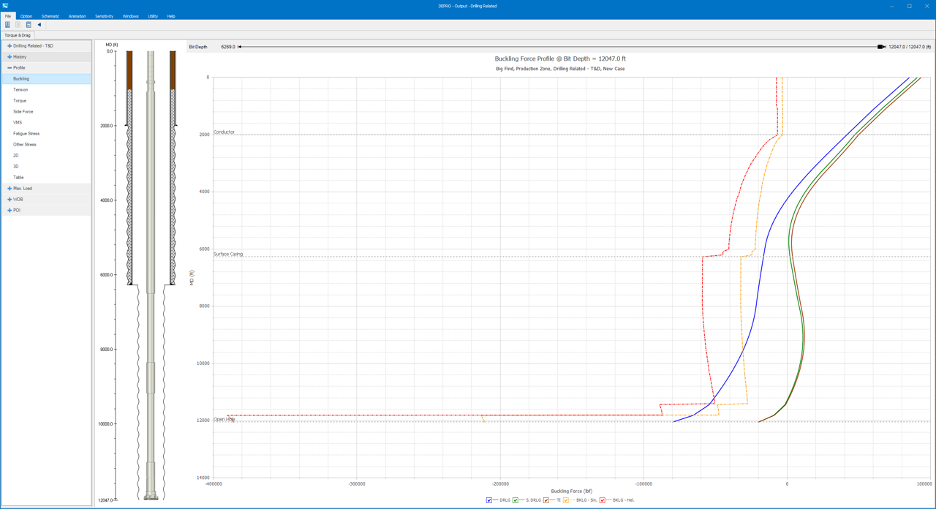
TADPRO delivers comprehensive torque and drag software, combining advanced calculations, visualizations, and WITSML integration to help you plan, monitor, and optimize operations.
TADPRO combines engineering accuracy with a user-friendly interface to provide real-time monitoring to optimize your extended reach directional (ERD) performance.
With TADPRO, you can:
Whether you’re in horizontal drilling, completion operations, or coiled tubing runs, TADPRO adapts to your workflow:
Software Features at a Glance
Frequently Asked Questions
Yes. TADPRO’s friction calibration and alert system detect trends that could lead to a stuck pipe, giving you time to respond.
Absolutely. You can model continuous drillstring sections or rigid segments for both directional and extended-reach wells, depending on operational needs.
Our industrial analytics software options require:
*Note: The software may still run on Windows 10, Office 2016, or Office 2019; however, these versions have reached end-of-support from Microsoft and are not officially supported.
FFs are set in the case level for cased and open hole sections; If there are multiple open hole sections and the FFs each section are different, values can be input in the Variable FF Window by checking on the “Variable”. Values can also be adjusted for drill tools or casing running tools, and if tools are free to rotate, RPM Reduction might be input to adjust the pipe rotational speed.
Segments the string based on survey points to preserve accurate dogleg and pipe properties for torque and drag calculations. It improves the torque and drag accuracy but increases the calculation time as the calculation points are increased.
It scales side force per unit length for graph display; changing it doesn’t affect calculations, only how values appear in the graph.
You May Also be Interested in…